


New Recruit
4.3208.00 Reviews
App Specs
- Version
- 35.70
- Updated On
- License
- Free
- Downloads
- 100,000+
- Developer
- New Recruit
- Categories
- Tools
- Platform
- Android
Screenshots
 Analysis by AppCompare
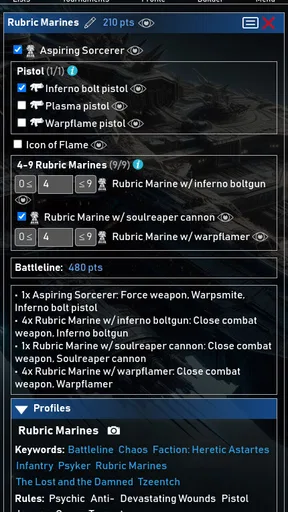
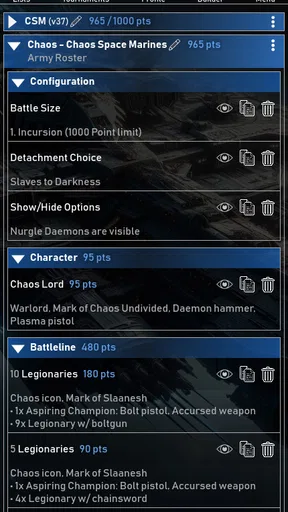
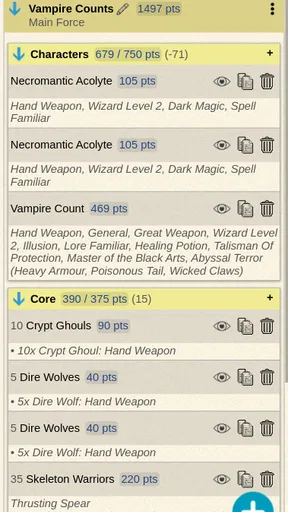
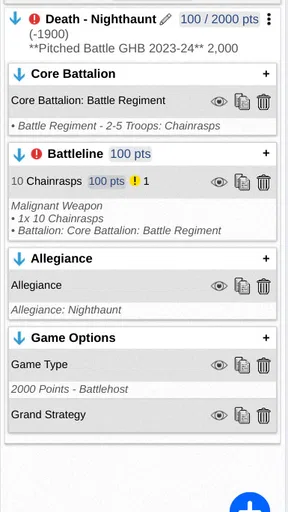
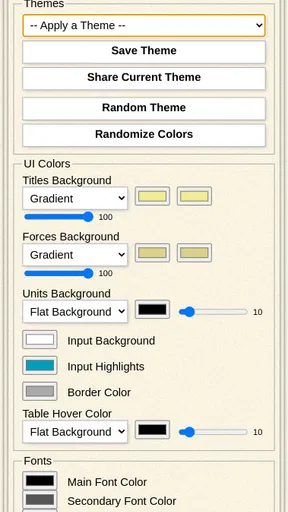
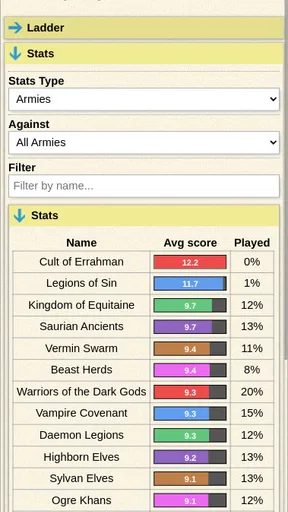
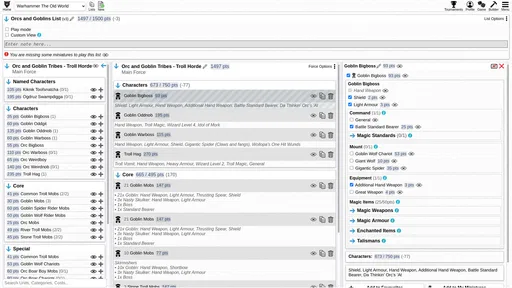
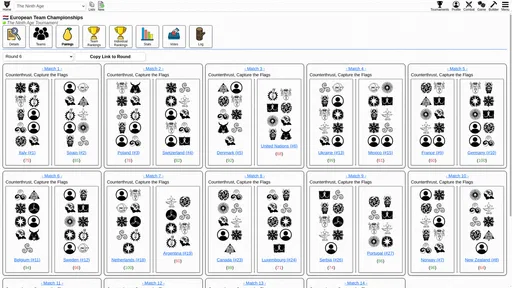
I approached New Recruit as a practical companion for tabletop players rather than as another game to play on a phone. Its purpose is to help build an army and support tournament preparation for games such as Warhammer, which puts it in a useful space between a roster notebook, a rules reference, and an event-day checklist. After spending time with it, my impression is that its value depends less on flashy presentation and more on whether it fits the way you prepare, revise, and carry an army to the table.
That distinction matters. A casual player may only need a handwritten list or a familiar spreadsheet, while someone attending events can benefit from having a structured army-building tool available on a mobile device. New Recruit is free to download, aimed at Everyone, and developed by New Recruit. It belongs to the Tools category, and its presence on Android is established: it has passed 100K+ installs and holds a 4.3 average from around 1.5K ratings, including 208 reviews.
How New Recruit fits into a tabletop preparation routine
The first thing I noticed is that the app makes most sense when used before the game, not during every second of it. Army construction involves repeated small decisions: changing a unit, checking the effect on the total, trying a different combination, and then returning to the original idea when the alternative does not work. A dedicated builder reduces the friction of that loop compared with editing a document manually.
I would use it in three stages. First, I would create a rough list around the army concept I want to try. Second, I would make several revisions while considering the event format and the models I actually own. Finally, I would use the finished version as a preparation reference before packing miniatures and accessories. That workflow is more reliable than arriving at a club night with a list that looked fine in a note but has not been checked carefully.
The tournament angle also changes how I judge the app. A builder is not just about making an army that looks interesting. It should help me avoid last-minute uncertainty, especially when I am comparing several versions of a list. New Recruit is most appealing to players who enjoy that planning process and want their roster work kept in one focused tool instead of scattered across notes, screenshots, and web pages.
There is also a useful psychological benefit to separating list design from the battle itself. When I build a roster in advance, I can think about the role of each selection rather than making decisions while setting up the table. That does not replace knowledge of the rules or practice with the army, but it gives the preparation stage a clearer shape.
What makes a dedicated builder preferable to notes
A plain notes app is flexible, but that flexibility is also its weakness. It will happily let me type a list with inconsistent names, forget a selection, or leave an outdated version beside the current one. New Recruit is designed around the army-building task, so it is a better match when I need to revise a roster repeatedly rather than simply record a final answer.
Worth Reading Before You Choose

EA SPORTS FC Mobile 26 Is a Bigger Football Game, but It Takes Time

Flipboard Shows What News Apps Must Do Beyond the Feed

Switching to Android Auto Means Rethinking Your Driving Routine

Google Calendar Makes a Crowded Week Easier to Manage

Ludo King Makes the Most of the Minutes Between Plans

Baby Panda World Brings Quick Play to Modern Phones, but Its Game Library Feels Busy
A spreadsheet can be more powerful for people who want custom calculations, long-term collection tracking, or elaborate comparisons. I would choose a spreadsheet when my main goal was analyzing several armies side by side or maintaining a personal inventory. I would choose New Recruit when I wanted a more direct route from faction idea to usable tournament list without designing the structure myself.
Printed reference material has a different advantage: it remains easy to share across a table and does not depend on a phone screen. For an event, I would still prepare a clear final version rather than assuming the app alone will satisfy every organizer’s preferred format. The app is strongest as a preparation and checking aid; it should not be treated as a substitute for reading the event pack or understanding the current rules environment.
Three workflows that reveal its practical value
One useful workflow is the “three-list test.” I would build a conservative list, an aggressive list, and a version based on the models already painted. Comparing those options helps expose a trade-off that is easy to miss when working from memory: the theoretically strongest roster may be less useful than the one I can deploy confidently with the collection I actually have.
A second is the “locked evening” method. Before a club session, I would make the list earlier in the day, stop changing it for a while, and then review it once more with fresh attention. This is a small habit, but it prevents endless tweaking from replacing meaningful preparation. A dedicated builder is particularly helpful here because the current version is easier to revisit than a chain of copied notes.
The third is a packing check. After settling on a roster, I would use the selections as a prompt to check models, bases, tokens, dice, and any printed material needed for the event. New Recruit does not magically manage the physical case, but the list can become the starting point for a practical checklist. That is the kind of benefit a store summary does not communicate: the app can connect digital list building with the unglamorous preparation that determines whether game day feels relaxed.
Trust, controls, and moments that deserve attention
My trust assessment is deliberately cautious. The app’s role is clear, and the visible product information presents it as a free tool with optional in-app purchases ranging from $35.00 to $129.99 per item. That pricing detail is important because “free” describes the entry point, not necessarily every part of the experience. I would install it without assuming that all advanced use is included at no cost.
Before committing to a tournament workflow, I would inspect the screens that appear when creating an army, saving a list, or trying any locked function. Those are the moments when a user can see what is available without payment and what requires an upgrade. I prefer making that decision before building a large collection of lists, because discovering a restriction at the end of preparation is more frustrating than seeing it at the beginning.
I also recommend checking the permission prompts presented by the current installation and reading the platform’s privacy information before entering anything personal. I would not infer privacy practices from the app’s category or from the fact that it is a roster tool. The sensible approach is to grant only what is clearly needed for the action I want to perform and to avoid entering personal details that are unrelated to army preparation.
That advice is especially relevant for tournament users. A list may reveal a person’s gaming interests and event plans, while an account, if used, can connect those lists to a broader identity. I would keep the information inside the app focused on game preparation and review any account controls carefully. If the app offers sign-in, I would want to understand whether it is required for the basic workflow or simply available for convenience before deciding how much of my information to attach to it.
Account choices and user agency
For me, good user control begins with reversibility. I want to know whether I can edit a roster without affecting an earlier version, remove an unwanted list, and leave the service without losing control of my information. I would look for these options in the app’s settings and account area rather than assuming they work like a notes application.
I would also be careful when changing devices. A tournament player may prepare at home, adjust a list on a tablet, and then use a phone while traveling. If synchronization or account access is part of the experience, I would test that process with a small sample list first. That avoids making a full collection dependent on a workflow I have not yet confirmed for myself.
Notifications deserve the same practical scrutiny. I would keep them limited to anything genuinely useful for preparation and turn off interruptions that do not help me build or review an army. A tool should serve the event schedule, not create another stream of attention to manage.
There is a broader lesson here: convenience should not remove the user from the decision. New Recruit can make list preparation quicker, but I would still read what I am accepting, inspect any purchase screen, and keep a final copy of an important tournament list in a form I can access independently. That is not distrust of this particular app; it is a sensible safeguard for any digital tool used on an important game day.
Where the experience can become frustrating
The main limitation is that a builder cannot solve every problem around tabletop gaming. It can help organize a roster, but it does not replace the judgment needed to understand how an army plays, whether a unit suits my collection, or how an event’s restrictions affect the final choice. A perfectly arranged list can still be poor if I do not know how to use it.
There is also a learning curve whenever a player moves from informal notes to a structured tool. I may need to spend time understanding how the app expects lists to be assembled and revised. That initial effort is worthwhile for regular tournament preparation, but it may feel unnecessary for someone who plays occasional casual games with a small, stable army.
The purchase range is another reason I would approach the app in stages. I would begin with a simple list and learn the basic workflow before considering any paid option. If the free experience already covers my needs, there is no reason to buy features merely because they exist. If a paid function becomes central to my routine, I would evaluate it against how often I attend events and how much time it saves.
Finally, I would not rely on a mobile screen as my only event document. Phones lose battery, screens are awkward for group discussion, and organizers may want information presented in a particular way. My preferred approach is to use New Recruit for building and checking, then keep a practical backup for the final roster.
Who should use it, and who should skip it
I think New Recruit is a strong fit for Warhammer players who repeatedly alter lists, prepare for tournaments, or manage several army ideas at once. It is also useful for a player who wants to turn a vague concept into a sequence of concrete choices and then review the result before committing to models or an event.
I would recommend it less enthusiastically to a beginner who has not yet learned the basic structure of their game. In that situation, the app may help with organization, but it will not explain every strategic decision. A beginner may get more value from learning the core rules and talking with a local club before making the builder the center of their preparation.
I would also skip it if my needs are limited to a single handwritten list that rarely changes, or if I need a full collection-management system with custom budgeting and inventory analysis. A spreadsheet or a simple notes tool may be better for those jobs. New Recruit earns its place when the army-building process itself is the problem I want to make easier.
My final view after using it as a planning tool
New Recruit has a focused purpose, and that focus is its best quality. It gives tabletop players a dedicated place to shape and review armies instead of forcing them to improvise with general-purpose tools. I value it most as part of a calm preparation routine: build early, compare alternatives, check the physical collection, and keep a backup before leaving for an event.
I would not describe it as an all-in-one answer for tournament gaming. The free starting point is attractive, but the optional purchases mean I would inspect the available controls and costs before depending on any paid workflow. I would also review permissions, account choices, and privacy information directly in the current installation instead of making assumptions about them.
With those boundaries in mind, I can recommend it to players who regularly construct army lists and want a more purposeful alternative to notes or spreadsheets. The app is less compelling for occasional players, people seeking deep collection accounting, or anyone expecting a roster builder to teach strategy. My cautious verdict is positive: use it as a structured preparation aid, keep control of your data and final documents, and only pay when a specific feature clearly earns its place in your routine.
Pros
- Simple interface makes recruiting tasks easy to navigate.
- Useful for organizing candidate information in one place.
- Helps reduce repetitive manual follow-up work.
- Suitable for small teams with straightforward hiring needs.
- Accessible on mobile devices for recruitment tasks on the go.
Cons
- May lack advanced analytics for detailed hiring performance tracking.
- Limited customization could be an issue for larger organizations.
- Requires accurate data entry to keep candidate records useful.
- Some features may depend on an active internet connection.
- Not ideal for complex recruitment workflows or high-volume hiring.
FAQs for New Recruit
What is New Recruit, and what can I do with the app?
New Recruit is designed to help users discover and manage recruitment opportunities in one place. Depending on the available version and region, you may be able to browse listings, review position details, create or manage a candidate profile, and submit applications. Before downloading, check the app description carefully because available features can vary between Android and iOS releases.
Is New Recruit free to download and use?
New Recruit may be available as a free download, but some functions could require registration, paid services, subscriptions, or in-app purchases. The basic installation price and any optional charges are normally shown on the Google Play Store or Apple App Store before installation. It is also worth checking whether applications, premium tools, or additional recruitment services involve separate fees.
What information does New Recruit require from users?
Recruitment applications commonly request personal and professional information, such as your name, contact details, employment history, education, qualifications, and uploaded documents. New Recruit may also need account credentials and permission to send notifications. Review the privacy policy and requested permissions before creating a profile, particularly if you plan to upload a résumé or other sensitive career information.
Can I apply for jobs directly through New Recruit?
The application process depends on how New Recruit is configured and on the individual opportunity. Some listings may allow you to apply inside the app, while others could redirect you to an employer’s website or external recruitment platform. Read each listing carefully, confirm the destination before submitting information, and make sure your profile and résumé are accurate and up to date.
Is New Recruit safe and reliable for finding employment opportunities?
New Recruit can be a useful tool for organizing recruitment searches, but users should still evaluate every listing independently. Avoid sharing passwords, banking details, or unnecessary identity documents during an initial application. Verify the employer, check contact information, look for suspicious requests or unrealistic promises, and download the app only from an official store to reduce security and fraud risks.


